Sender accounts
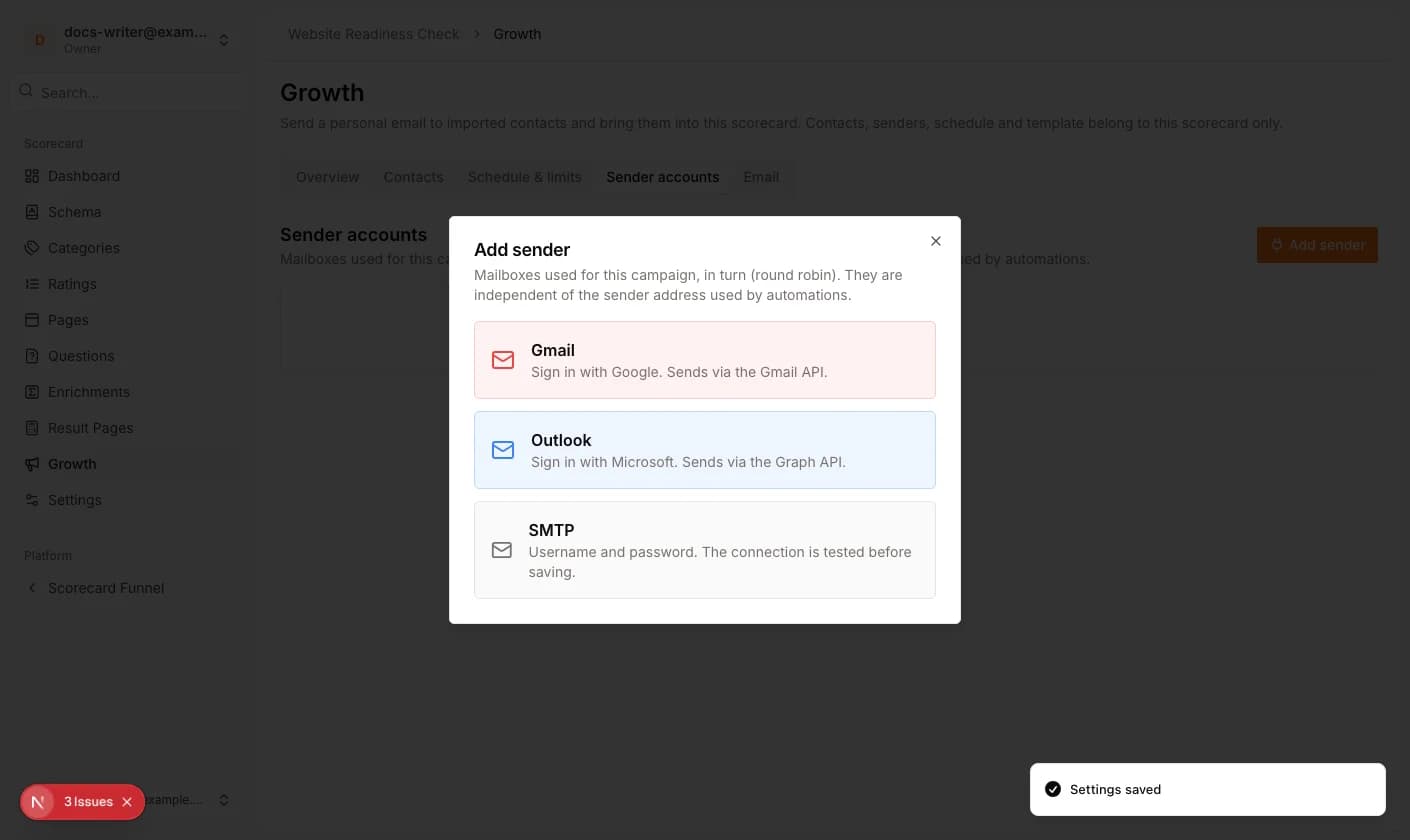
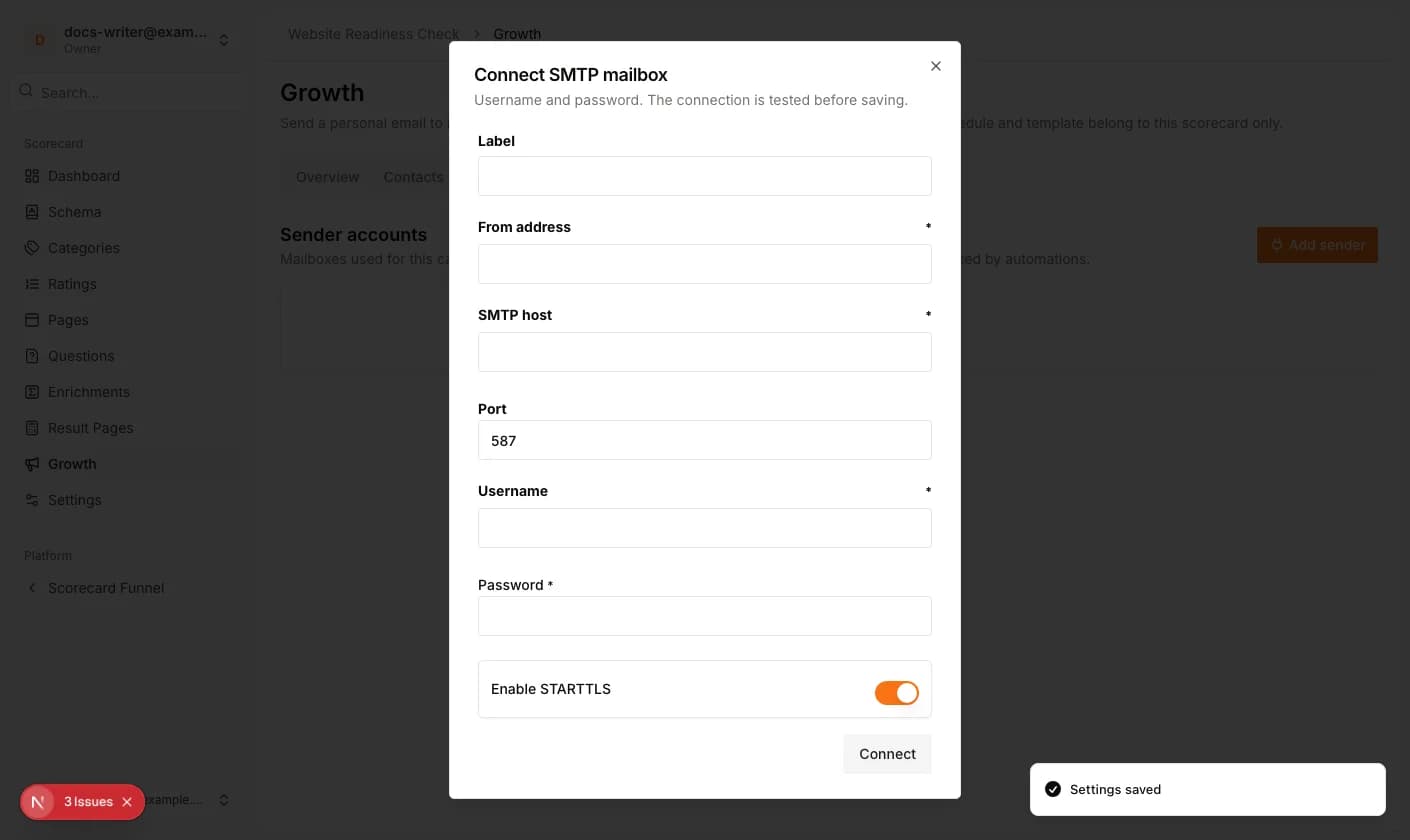
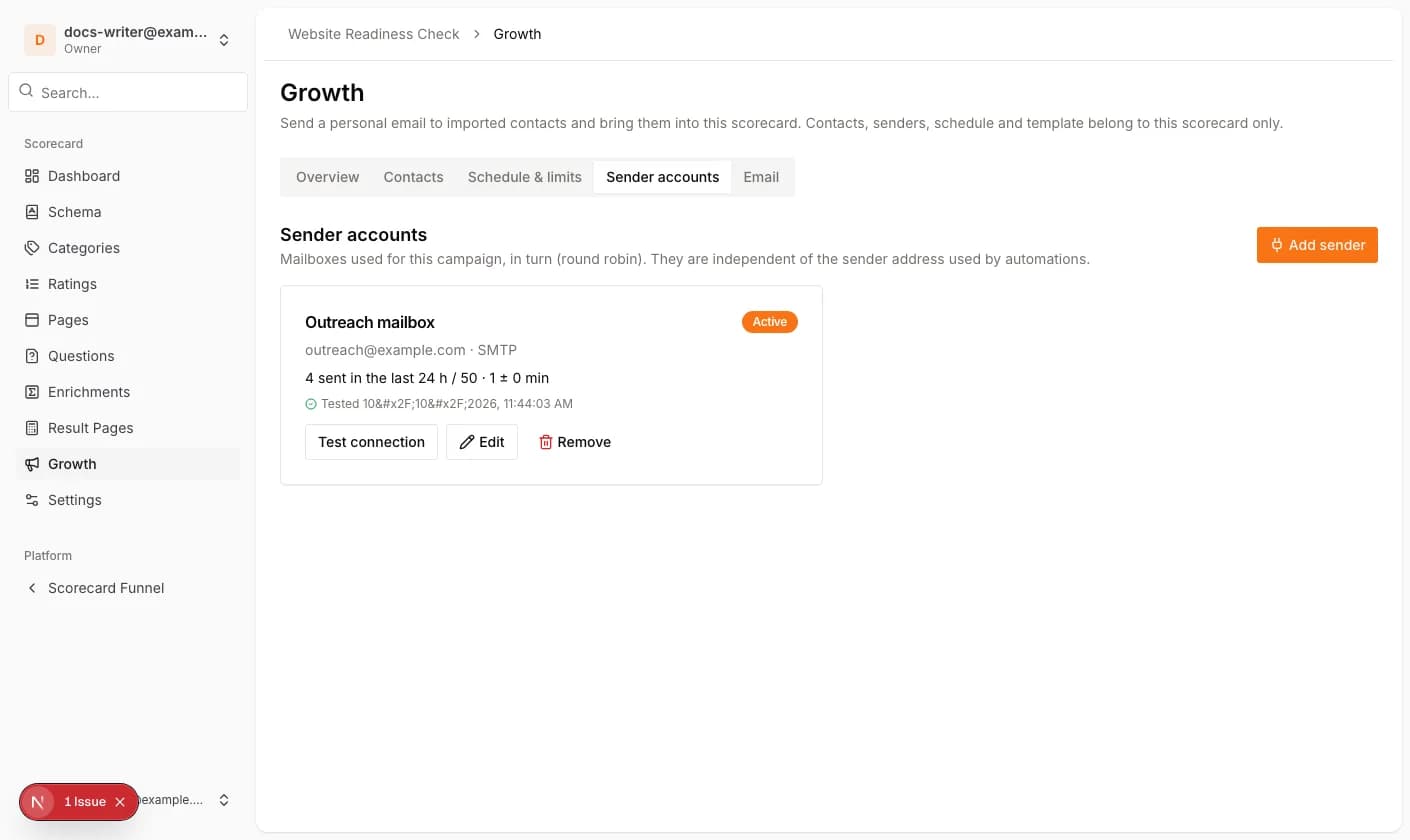
Sender accounts are the mailboxes a campaign sends from. They belong to the campaign and are used in turn (round robin). Only the account owner can add or change them. Click Add sender and choose Gmail, Outlook or SMTP. Gmail and Outlook open the provider sign-in; SMTP asks for host, port and optionally username and password (leave both empty for servers without authentication) and tests the connection before saving.
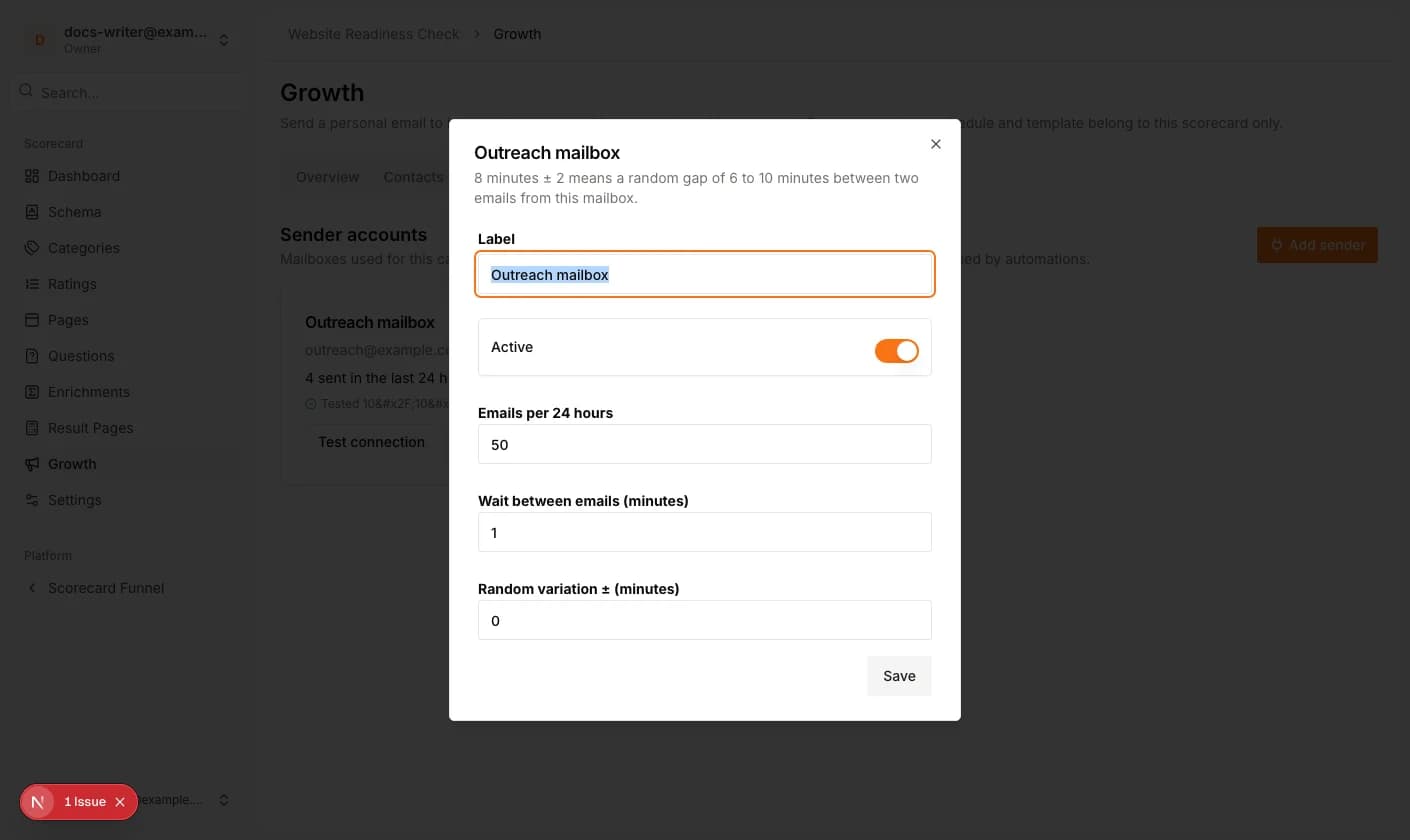
Each mailbox has a limit of emails per 24 hours and a wait time between two emails with a random variation. 8 minutes ± 2 means a random gap of 6 to 10 minutes. Test connection checks the stored credentials at any time.
- 1Open the Sender accounts tab and click Add sender.
- 2Choose the provider and connect the mailbox.
- 3Click Edit to set the label, the emails per 24 hours, the wait time and the variation. Switch Active off to leave a mailbox out of the rotation.
Schedule and limits
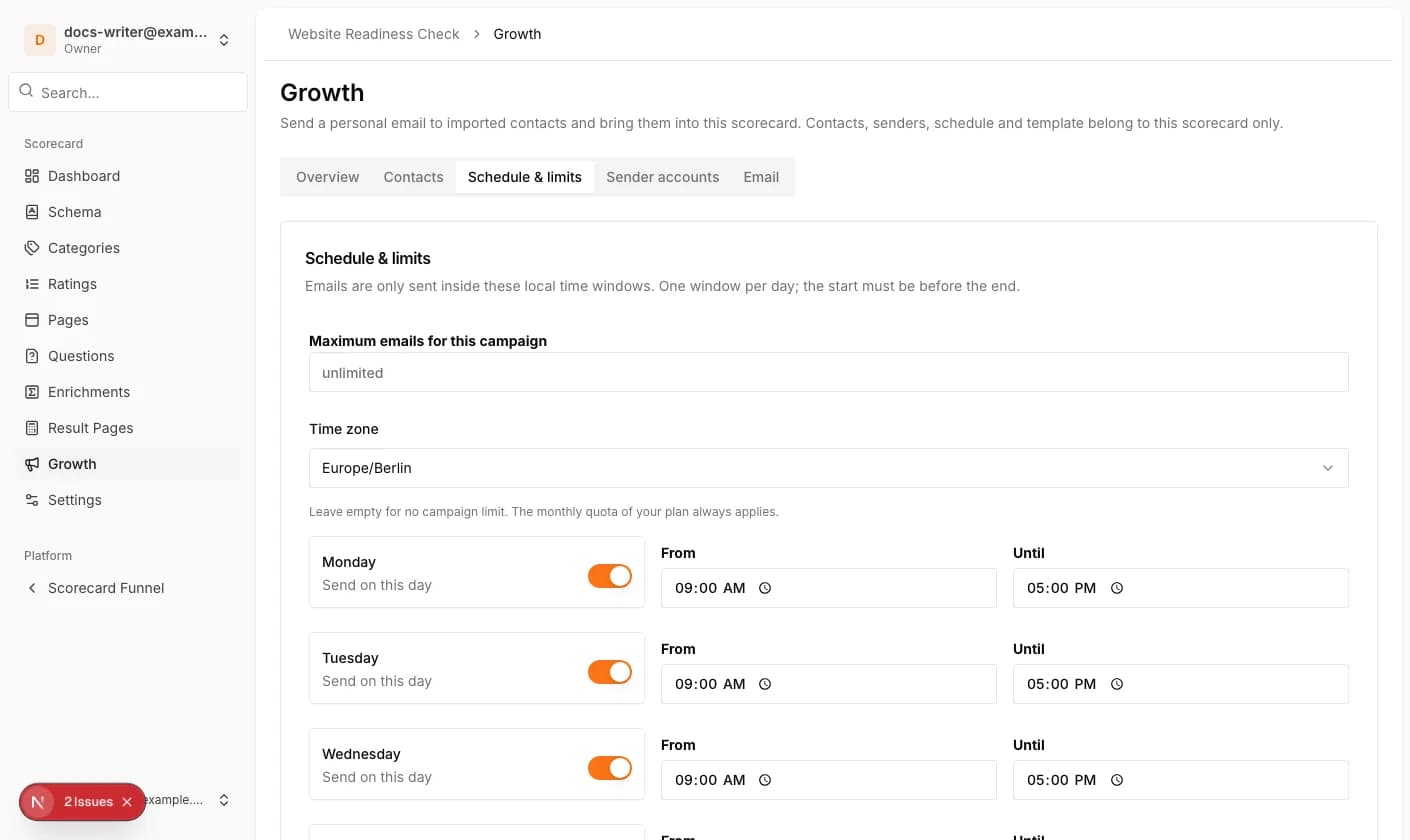
Under Schedule & limits you define the time zone and, for every weekday, whether emails may be sent and between which hours. The start must be before the end. Outside the windows the campaign waits for the next window. Maximum emails for this campaign is a cap on top of the monthly quota of your plan; it is 50 by default.
Values per contact beyond the name, such as a company, are defined under Custom fields; see the article on importing contacts.